
The posts we like on Instagram are a true reflection of our interests and hobbies. If you want to get to know someone, taking a peek at their social media is the best way to start. There are a variety of Instagram viewers on the market, each with specific purposes, from anonymously viewing Instagram Stories to checking recent follows and unfollows.
While you can still spot the occasional interaction on your own feed, an Instagram activity tracker is the best way to see the actual posts that someone engages with. With recent Instagram updates making it harder to see other users’ activity, you may need to use manual methods or a third-party app to see likes on Instagram.
You might want to learn how to see likes on Instagram of others to monitor your child’s activity, check in on an old partner, or do your due diligence before a blind date. The posts that someone likes on Instagram can tell you about their personality and even raise potential red flags.
Below, we’re sharing 5 free ways to see someone’s likes on Instagram and why a low-cost method like Snoopreport is often a faster and more effective option.
5 Free Ways to See What Someone Likes on Instagram
Most of the free ways of how to see likes on Instagram of others involve manually looking through the app. Although free, these methods can be time-consuming, and the free trial for most Instagram viewer tools will only show you limited information, rather than specific posts that the user has liked.
Depending on the information you’re looking for, these free methods may still be useful or worth trying before signing up for a paid Instagram activity tracker. If it’s your first time checking someone’s Instagram likes, you can use our in-depth guide on how to use an Instagram like viewer for extra tips and tricks.
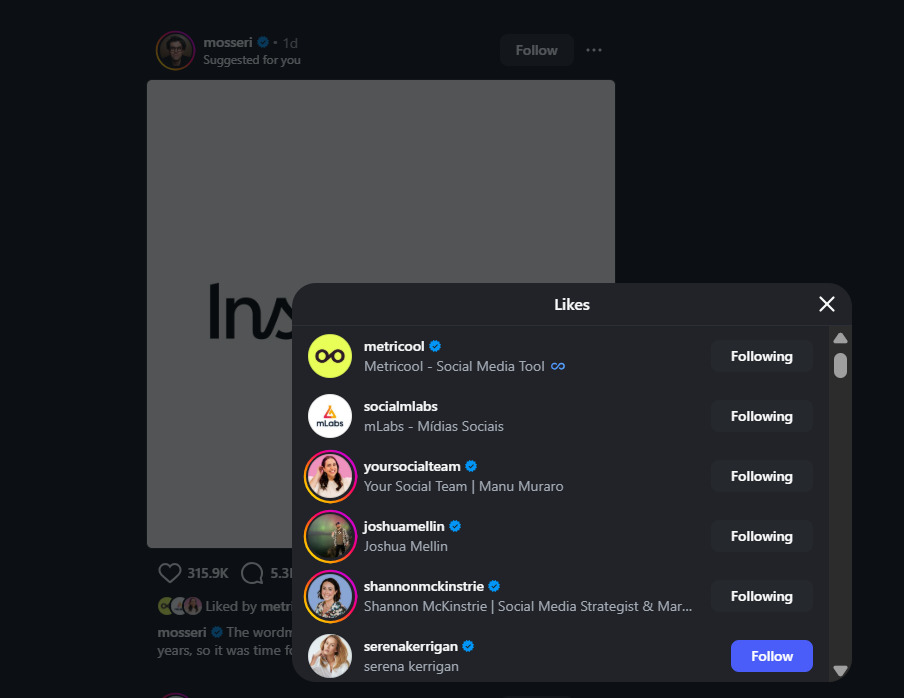
You can see who liked a specific post in your feed using the built-in “Likes” feature – as a one free method.
- Check the Likes on Individual Public Posts
One of the easiest ways to see likes on Instagram is by looking at individual public posts. Start by looking for a public account or post that you think the user may have interacted with.
If you follow them, they should appear as one of the first likes under the post. Alternatively, you can search the list of visible likes and repeat this method with different posts. You could manually check through posts to determine someone’s favorite sports team, the music they listen to, or the niche communities that they engage with.
However, this method isn’t guaranteed to work, as users can choose not to display the likes under their posts, so Instagram likes will only be visible on certain posts. Even public accounts can choose not to make likes visible on their posts.

Public Instagram posts can reveal visible engagement signals, including like counts, although the information available may vary by interface and account.
- Use Instagram’s Shared Activity Feature
Instagram has a “Shared Activity” feature that most users aren’t aware of. It allows you to see likes that are shared between two accounts, as well as tags, comments, and when you followed each other. This method only works if both accounts follow each other. Similarly, you will only be able to see which of your posts the other user has liked and which posts of theirs that you have liked.
You can use the shared activity feature by opening the other person’s profile and selecting “See shared activity” from the options icon in the top right of your screen. This method is useful if you’re looking to see what Instagram posts a former friend, partner, or acquaintance may have liked on your profile without having to manually check.
- Check Their Following List for Clues
Most free methods for seeing someone’s likes on Instagram will involve you doing some manual research. You can check the user’s following list to look for clues that might help you find Instagram posts that they’ve interacted with. For example, if they’re following multiple travel creators or running accounts, you’ll know what type of content to look for, and it’ll give you insights into their personality and interests.
Following an account isn’t a guarantee that the person is interested in the subject. Lots of accounts run follower competitions, and not every user will unfollow accounts as their interests and hobbies change.
- Look for Public Comments, Tags, and Reshares
When you’re checking someone’s Instagram activity, likes aren’t the only engagement to look for. You can also check their tagged posts, reposted content, Stories, public comments, and interactions with other public accounts. This information can help you find other posts that the user has liked and to contextualize their Instagram activity.
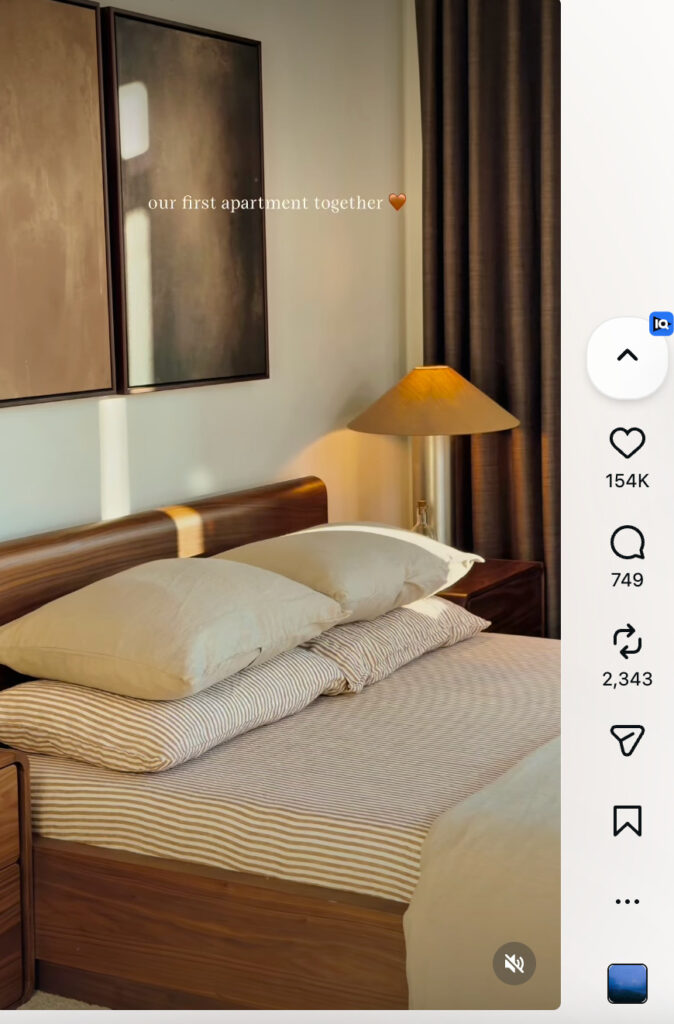
Public Instagram posts and Reels can reveal additional engagement signals through visible likes, comments, reposts, and shares.
- Use Instagram’s Reels and Recommendation Features
If you engage with similar posts as the other user – and follow each other – you may be able to find posts that they’ve liked by having them recommended to you by Instagram. The platform’s feed is becoming personalized, so this can be difficult and time-consuming to try, but can be a helpful discovery tool.
Why Free Methods Don’t Always Show Instagram Likes
Free methods on how to see likes on Instagram of others can help you do surface-level research, but they may not give you the answers you’re looking for, especially for accounts you don’t follow or regularly interact with. It’s always worth trying these methods before taking out a subscription or signing up for a paid app.
Free methods won’t give you a complete chronological list of the posts that a user likes, and it’s extremely time-consuming compared to low-cost Instagram activity trackers, such as Snoopreport.
Snoopreport: The Fastest Way to Track Instagram Likes
Snoopreport allows you to see someone’s likes on Instagram in a 100% legal way by using their publicly available activity. It goes beyond just Instagram likes to show you a person’s recent follows and unfollows, along with their activity levels. With regular reports, you’ll get AI-generated activity insights and summaries that spotlight potential interests, habits, and even red flags to look out for.
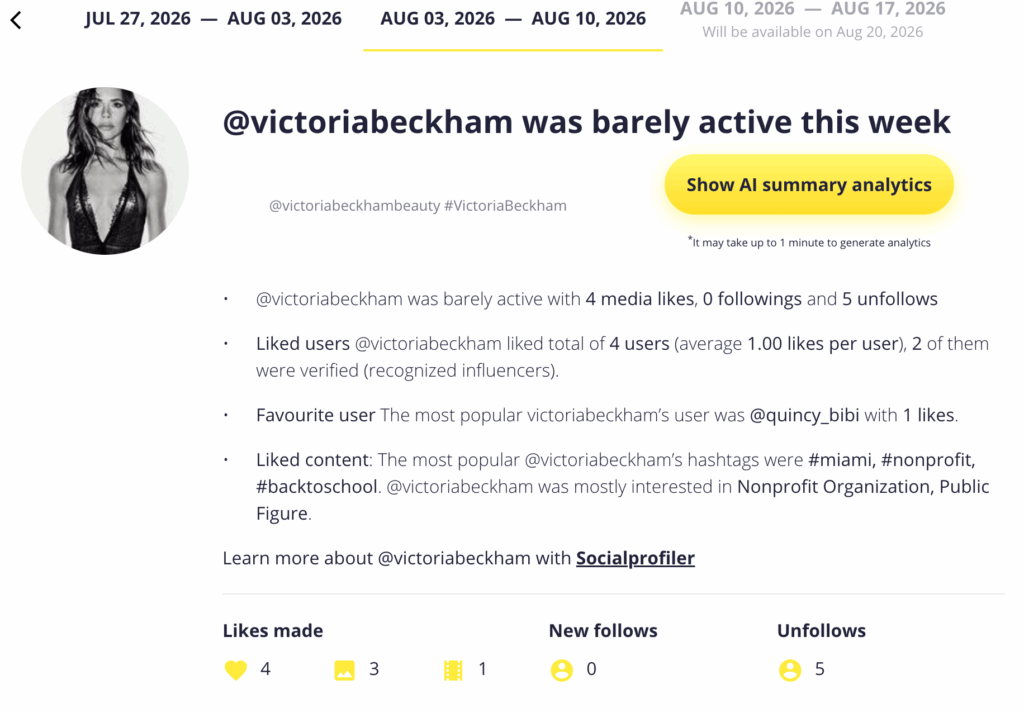
Snoopreport organizes tracked Instagram activity into reports, including liked content and other public activity signals.
This type of Instagram activity tracker is low-cost at just $0.99 a week and gives you an instant summary in the same time it would take for you to open the person’s Instagram profile. It also automatically organizes the user data to help you make sense of it, whether you’re doing a one-time check-up or need to monitor an account long-term.
Try Free Options First, Then Upgrade to an Instagram Activity Tracker
If you want to learn how to see likes on Instagram of others, free methods are a great way to start. You may be able to use public posts, following lists, and the Shared Activity feature to find the information you’re looking for. However, an activity tracker will help you make sense of activity data, rather than being distracted by individual likes.
If manually searching for Instagram likes is too time-consuming, you can switch to a paid activity tracker like Snoopreport to get extensive account insights for less than a dollar a week. Sign up to Snoopreport and check anyone’s activity on Instagram in just seconds.