
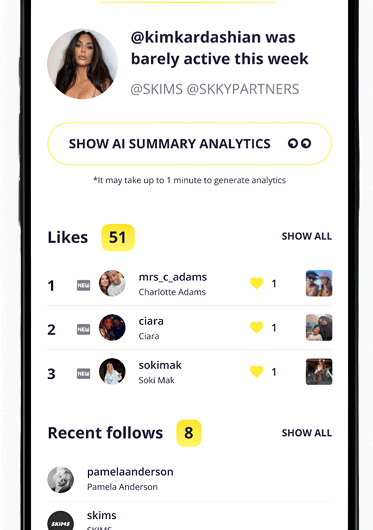
If you want to check someone’s Instagram activity, you may come across two similar-sounding tools: an Instagram profile viewer and an Instagram activity tracker. They are often treated as interchangeable, but they solve different problems.
Short answer: a profile viewer helps you inspect information available on an Instagram profile right now. An activity tracker monitors observable activity over time, making it easier to identify changes such as new follows, unfollows, likes, and activity patterns.
Here’s how both approaches work – including free methods you can try first.
What Is an Instagram Profile Viewer?
An Instagram profile viewer generally helps users inspect information associated with an Instagram account at a particular moment.
Depending on what information is available, this may include profile details and other visible account data. Instagram itself confirms that certain basic profile information – including a username, profile picture, bio, links, and follower and following counts – remains publicly visible regardless of whether an account is public or private.
The key limitation is that this information reflects the account’s current state. A single snapshot usually cannot tell you when something changed. For example, seeing that someone follows an account today doesn’t tell you whether they followed it yesterday or six months ago.
Free Method 1: View the Instagram Profile Manually
The simplest alternative to an Instagram profile viewer is Instagram itself. If the information you need is currently visible on the profile, you may not need a separate viewing tool at all.
Start by opening the Instagram profile and checking the information available directly on the account. Depending on the profile, you can review:
- the bio and profile details;
- links added to the bio;
- follower and following counts;
- visible posts and Reels;
- tagged content that is available to you;
- other information currently displayed on the profile.
This method works best when you simply want a current snapshot of an Instagram account. For example, you may want to research a creator before a collaboration, check how a competitor positions their profile, or see what content an account is currently publishing.
Limitation: manual profile viewing shows the account’s current state, but it does not create a history of changes unless you record previous checks yourself.
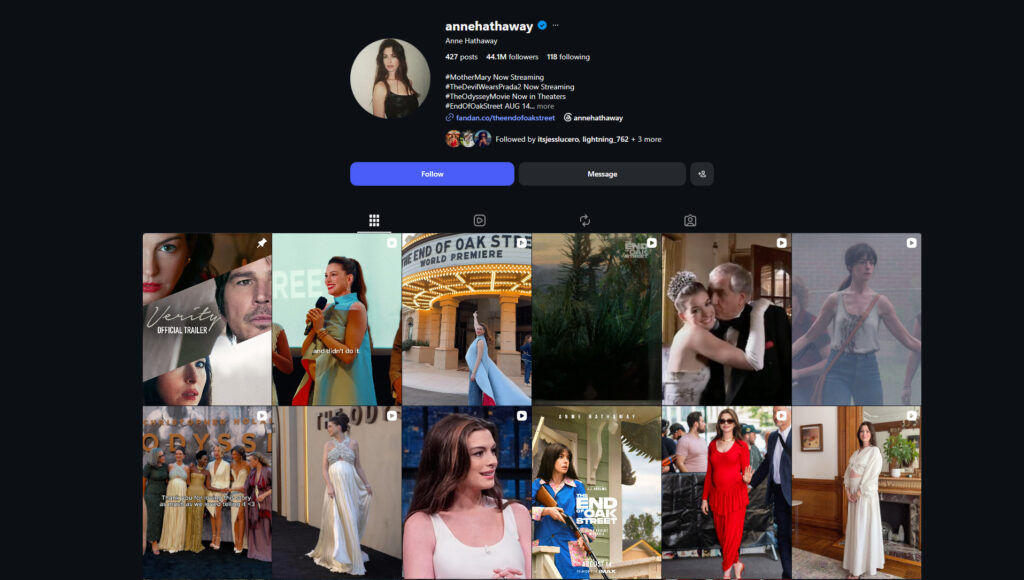
Manually viewing an Instagram profile gives you a snapshot of the account’s currently visible information, but it does not show how the account has changed over time.
Free Method 2: Track Changes With Screenshots
If your question is about changes rather than the current state, you can create a basic tracking system yourself.
- Choose the account and activity you want to monitor.
- Take screenshots of the relevant information.
- Save them with the date.
- Repeat the check on a consistent schedule.
- Compare the new screenshots with the previous ones.
- Verify any apparent changes directly on Instagram.
For example, if a username appears on Friday but wasn’t present in your Monday record, you have identified a change within that observation window.
Limitation: long Following lists may require many screenshots, while irregular checks create gaps in your timeline.
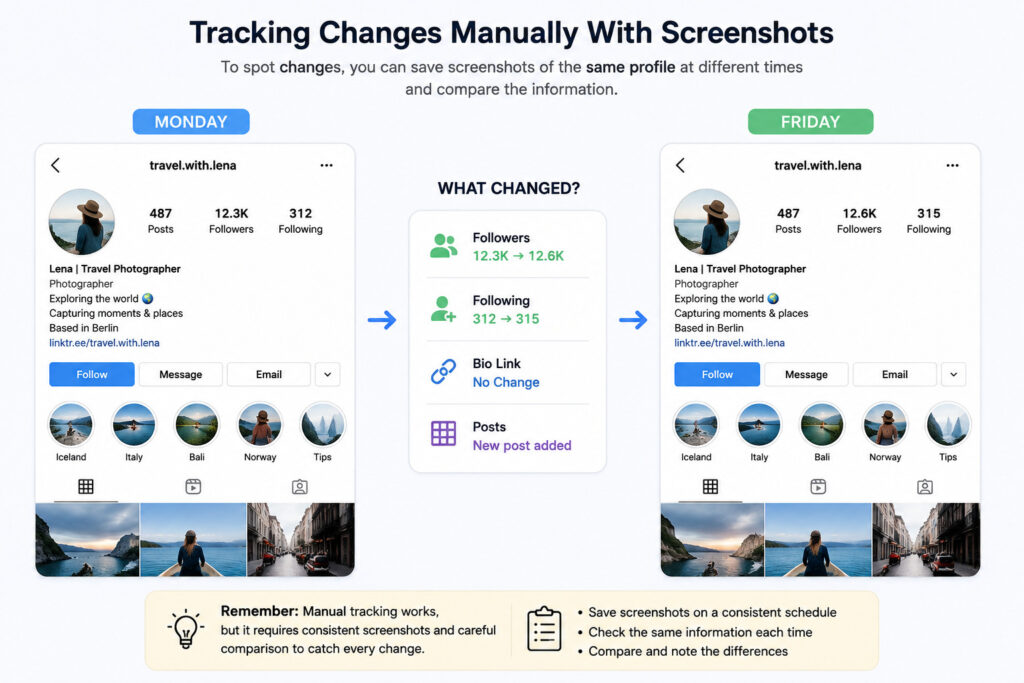
Comparing the same Following list at different times can reveal changes, but the process requires manual record-keeping.
Free Method 3: Use a Spreadsheet
A spreadsheet is more systematic if you want to monitor a relatively small account for a short period.
Create two columns:
| Previous Check | Current Check |
| @username1 | @username1 |
| @username2 | @username2 |
| – | @username3 |
Compare the lists to identify usernames that appear in the current record but not the previous one.
For better results, always record usernames rather than relying on their position in the Following list, date every check, and verify suspected changes on Instagram.
Limitation: maintaining complete username lists manually becomes time-consuming, particularly if you want to monitor several accounts or track changes for weeks.
Instagram Profile Viewer vs Activity Tracker
The easiest way to understand the difference is snapshot vs. history.
| Your goal | Profile viewer/manual check | Activity tracker |
| See current profile information | ✓ | Usually unnecessary |
| Check one current follow | ✓ | ✓ |
| Identify recent follows | Limited | ✓ |
| Identify unfollows | Requires old records | ✓ |
| Compare activity over time | Manual work | ✓ |
| Receive recurring reports | ✗ | ✓ |
An Instagram profile viewer makes sense when you need information about the account now.
An activity tracker becomes more useful when your question includes recent, new, changed, or over time.
When Manual Tracking Stops Being Practical
Manual methods work well for occasional checks, but they become less practical when you want to monitor follows, unfollows, engagement, or activity changes across multiple reporting periods. At that point, you are building an activity history rather than simply viewing a profile – which is where an Instagram activity tracker becomes more practical.
How Snoopreport Tracks Instagram Activity
Snoopreport is designed for ongoing monitoring rather than one-time profile viewing. It monitors observable activity associated with Instagram profiles over time and organizes collected information into reports.
Depending on the available activity, Snoopreport reports can include recent follows and unfollows, liked content, activity levels, and related insights. Instead of manually comparing screenshots, you can review changes that were observed during the tracking period in one place.
This is particularly useful when monitoring a creator, researching a public profile, following competitor activity, or simply trying to understand how an account’s observable behavior changes from week to week.
The biggest difference from an Instagram profile viewer is historical context. A viewer tells you what you can see now. Snoopreport helps you understand what changed between observations.
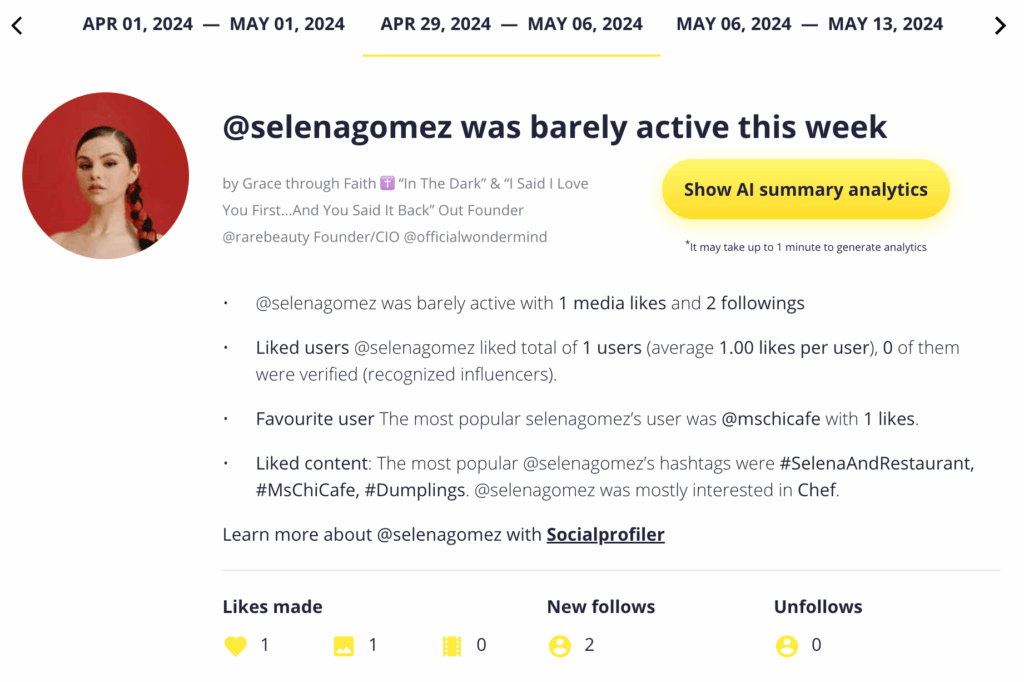
Snoopreport organizes observed Instagram activity into reports, making changes easier to review over time.
How to Use Snoopreport: Step by Step
Step 1: Add the Instagram Profile
Open Snoopreport and enter the username of the Instagram account you want to monitor. Confirm that you have selected the correct profile.
Step 2: Allow Activity to Accumulate
Tracking requires time.
Adding an account today doesn’t instantly create a complete historical archive of everything that profile has ever done. Snoopreport needs observations from the tracking period to identify and organize activity.
Step 3: Open the Report
Once data becomes available, open the report to review observed activity.
Depending on what has been collected, this may include recent follows, unfollows, likes, and broader activity information.
Step 4: Compare Activity Over Time
Instead of focusing on one isolated action, compare reporting periods.
For example, several new follows within the same niche may provide more useful context than one random follow. Changes in activity levels can also help you understand whether a profile has become more or less active.
This historical comparison is the main advantage of an Instagram activity tracker over a one-time viewer.
See how Snoopreport’s Instagram Activity Tracker works and what information appears in the activity report.
What an Activity Tracker Cannot Tell You
Tracking activity doesn’t explain someone’s intentions. A new follow may result from a Reel, recommendation, personal connection, research, or simple interest in the content.
The same applies to likes and other activity: patterns can provide context, but a single action does not prove a particular relationship or intention.
Which Option Should You Use?
Choose based on the question you need answered.
Use Instagram itself or an Instagram profile viewer if:
- you need a one-time check;
- you want currently visible profile information;
- you want to check one specific follow;
- historical changes don’t matter.
Use an Instagram activity tracker if:
- you want to monitor changes over time;
- recent follows or unfollows matter;
- you don’t want to maintain screenshots and spreadsheets;
- you need recurring reports;
- you want broader context around observable activity.
Neither option is universally better. They simply answer different questions.
Frequently Asked Questions
Is an Instagram profile viewer the same as an activity tracker?
No. A profile viewer primarily provides a snapshot of information currently associated with a profile. An activity tracker monitors observable activity over time so changes can be identified and organized.
Can I track Instagram activity for free?
You can manually track some changes using Instagram, screenshots, and spreadsheets. The trade-off is that you have to collect, date, maintain, and compare the information yourself.
Can an Instagram profile viewer show recent follows?
A single view of a Following list cannot reliably establish which accounts were followed most recently. Identifying changes requires observations from different points in time.
What can an Instagram activity tracker show?
Depending on the service and available activity, it can organize observed follows, unfollows, likes, activity levels, and changes across reporting periods.
Does an activity tracker show a complete Instagram history?
Not necessarily. A newly started tracker shouldn’t be treated as a complete archive of everything an account has ever done. Its usefulness comes from observations collected during the tracking period.
Final Answer
The difference between an Instagram profile viewer and an Instagram activity tracker comes down to snapshot vs. history. A viewer is useful for checking what is visible now, while an activity tracker is designed to identify changes over time.
For occasional checks, Instagram, screenshots, and spreadsheets may be enough. For ongoing monitoring, Snoopreport organizes observed follows, unfollows, likes, and broader activity into reports, removing much of the manual comparison work.