
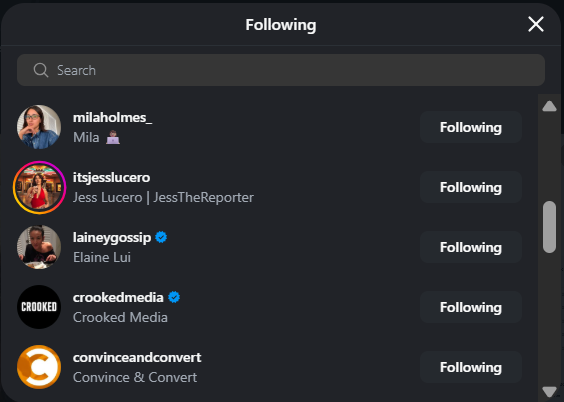
Short answer: Instagram does not provide a reliable, date-stamped list of another person’s recent follows. The accounts shown at the top of a Following list are not proof of who was followed most recently. To identify a recent follow, you need to compare the account’s Following list at two or more points in time.
This guide starts with the free methods you can use inside Instagram, shows how to track changes manually, and explains when Snoopreport is the more practical option for ongoing monitoring of public profiles.
Can You See Recent Follows on Instagram?
You can see which accounts a public profile currently follows, but Instagram does not show a public activity log with follow dates. A Following list is a snapshot of the present but not a history of what changed.
Instagram does not reliably tell you:
- the date or time another user followed an account;
- whether the first account in the list is the newest follow;
- which usernames were added or removed between two dates; or
- why a person followed a particular account.
A changing following count is only a clue. If the count rises from 800 to 804, the person may have followed four accounts or unfollowed three and followed seven. The count shows the net result, not the individual changes.
Why the Following List Order Is Misleading
Do not assume that accounts near the top of someone’s Following list are their newest follows. Instagram does offer a chronological Following feed for posts, as Wired explains, but that feed is different from the order of accounts in another person’s Following list. Instagram ranks and personalizes many surfaces, and the order visible to you should not be treated as a universal newest-to-oldest timeline.
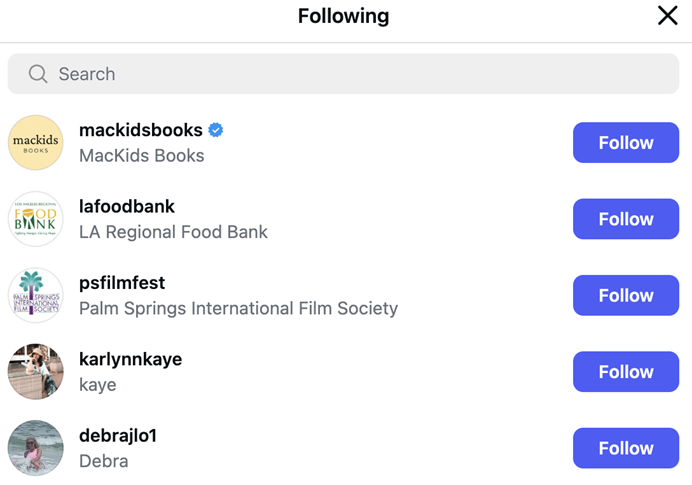
The Following list shows current connections, but its order is not a reliable recent-follow history
Free Method 1: Check Whether They Follow One Specific Account
Use this method when your question is simply, “Do they follow this account now?” It is quick and does not require a tracking tool.
- Open the person’s Instagram profile.
- Tap Following.
- Use the search field to enter the exact username of the account you want to check.
- Open the result to confirm it is the correct account, especially when similar names exist.
- Record the date of your check if you may want to compare the result later.
Limitation: this confirms only the current relationship. It cannot tell you when the follow happened. If there is no result, the account may never have been followed, may already have been unfollowed, may have changed its username, or may not be visible to you because of privacy restrictions.
Free Method 2: Track Changes With Screenshots
Screenshots work best for a small Following list or a short one-time monitoring period. The key is consistency: compare like with like instead of relying on memory.
- Choose a fixed schedule. For example, every Monday and Friday at roughly the same time.
- Capture the profile’s following count and the portion of the Following list you can review consistently.
- Name each screenshot with the profile username and date, such as username-following-2026-08-10.
- At the next check, compare the usernames rather than their positions in the list.
- Verify each suspected new follow by searching for that username in the current Following list.
Limitation: screenshots often capture only part of a long list. A username can also be renamed, deactivated, restored, or removed, which can look like a follow or unfollow when it is not. This method is evidence of a change between checks – not an exact timestamp for the action.
Free Method 3: Compare Usernames in a Spreadsheet
A spreadsheet is more reliable than visual memory when you can record the relevant usernames. It is still manual, but it creates a clear baseline.
- Create a sheet with Baseline usernames in column A and Current usernames in column B.
- Enter usernames. Not display names, because display names are not unique.
- Normalize the entries: remove leading @ symbols and spaces, and use lowercase consistently.
- In cell C2, enter =IF(COUNTIF($A:$A,B2)=0,”New”,”Already in baseline”) and fill the formula down.
- Filter column C for New, then verify each result directly in Instagram before treating it as a recent follow.
To check unfollows, reverse the comparison: test each baseline username in column A against column B. Keep the date of each snapshot in the sheet so you know the observation window.
Limitation: building and maintaining a complete list is time-consuming, especially when an account follows hundreds or thousands of profiles. Missed checks also widen the window: you may know that a change happened between Monday and Friday, but not on which day.
When Manual Tracking Stops Being Practical
Manual methods are reasonable for a single question. They become fragile when you need:
- ongoing monitoring over several weeks or months;
- checks across multiple public profiles;
- a clear list of both follows and unfollows;
- consistent reports without repeated screenshots and spreadsheet cleanup; or
- context from other observable activity, such as likes and overall activity patterns.
How Snoopreport Tracks Recent Follow Activity
Snoopreport is an Instagram activity tracker built for monitoring public profiles over time. Instead of asking you to interpret the order of one Following list, it organizes observed changes into reports. The reports show recent follows and unfollows and can also include liked photos and Reels, activity levels, and related insights in one dashboard.
That makes Snoopreport useful when the real question is not “Do they follow this account today?” but “What changed since my last report?” Weekly or monthly reporting replaces repeated manual checks with a readable history, which is especially helpful for large Following lists, public-figure research, creator monitoring, competitor research, or personal curiosity.
Snoopreport works with publicly observable Instagram activity. It does not unlock private profiles or bypass Instagram’s privacy settings, and no app needs to be installed on the monitored person’s device. Because a recent follow is identified through observations over time, the useful reporting window begins when tracking is available; a new tracker should not be treated as a complete history of every follow an account has ever made.
Snoopreport: Step by Step
- Open Snoopreport and go to the dashboard. You do not need to connect the monitored person’s Instagram account.
- Add the public Instagram profile you want to track. Confirm the username carefully so you monitor the correct account.
- Allow time for observations to accumulate. Tracking is more informative after there are at least two points to compare.
- Open the weekly or monthly report. Review recent follows, unfollows, likes, and the account’s activity summary.
- Verify and interpret the result in context. Treat a follow as a documented change, not proof of a motive or relationship.
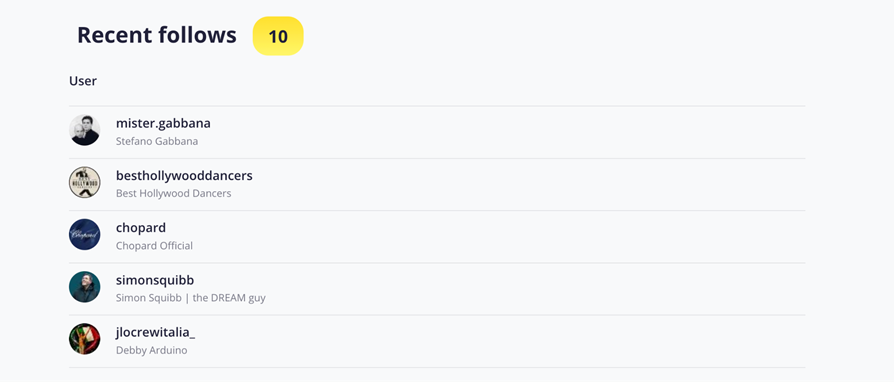
A Snoopreport report organizes recent follows into a list that is easier to review than repeated manual checks
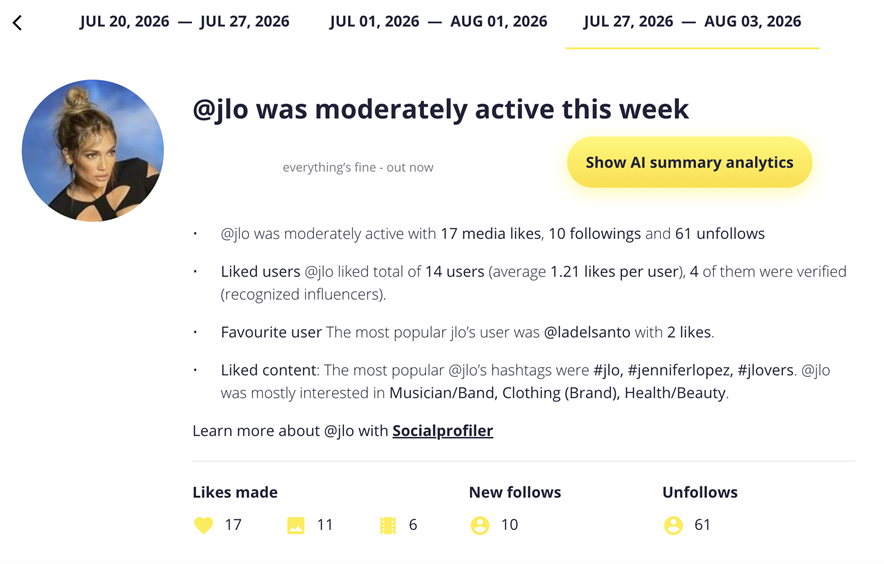
Weekly reporting places new follows, unfollows, likes, and activity context in one dashboard
Want to monitor a public profile without maintaining your own spreadsheet? Start tracking with Snoopreport and review changes in a structured report.
Which Method Should You Use?
| Your goal | Best method | Main limitation |
| Check whether one account is followed now | Search the current Following list | No follow date or history |
| Watch a small profile for a few days | Screenshots or a spreadsheet | Manual work and a broad observation window |
| Monitor ongoing changes | Snoopreport | Public profiles and observed activity only |
What About Private Instagram Accounts?
A third-party tool cannot make information hidden by a private account’s settings become public. If the Following list is not visible to you, free manual checks cannot reliably track it, and a legitimate tracker should not claim to bypass that restriction.
Be skeptical of services that promise to “unlock” private accounts, reveal private posts, or provide a complete hidden activity log. Recent-follow research is most reliable when the profile and the relevant activity are publicly observable.
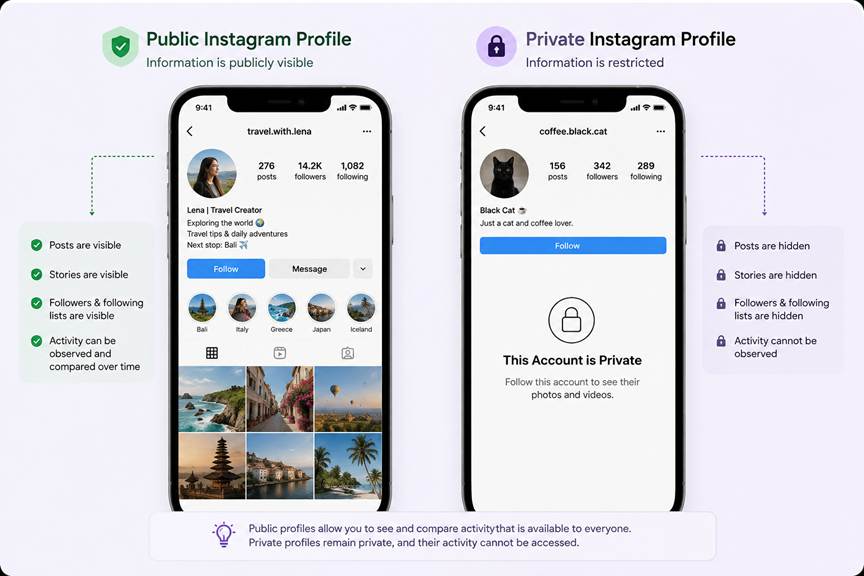
Public activity can be observed over time; private-account restrictions still apply
How to Interpret a Recent Follow Correctly
A recent follow tells you that a connection appeared during the observation window. It does not tell you why. Instagram may have recommended a Reel, the person may know the account owner, or they may be researching a topic, brand, or creator.
Use these checks before drawing a conclusion:
- Confirm the username and profile identity; similar names are common.
- Check whether the account was newly created, renamed, deactivated, or restored.
- Look for a pattern across several follows instead of overinterpreting one account.
- Record the observation window honestly: “between Monday and Friday” is more accurate than guessing an exact day.
- Separate the observed fact from your interpretation of the person’s motive.
Frequently Asked Questions:
Does the top of someone’s Following list show their most recent follow?
- No. The visible order should not be treated as a reliable newest-to-oldest history, and Instagram does not attach public follow dates to another user’s list.
Can I see the exact date someone followed an account?
- Not from another person’s standard Instagram Following list. Manual tracking can identify a window between two checks; an activity tracker can organize changes observed during its reporting periods.
Can Snoopreport track private Instagram accounts?
- Snoopreport is intended for publicly observable Instagram activity. It does not bypass private-account restrictions.
Does one recent follow prove romantic interest, a friendship, or a collaboration?
- No. A follow confirms a connection, not the reason behind it. Patterns and other context are more informative than one isolated action.
Final Answer
You cannot reliably identify another person’s recent follows by reading the order of their Instagram Following list. For one current connection, search the list directly. If it is a short monitoring period, compare dated screenshots or username lists. For ongoing tracking of public profiles, Snoopreport turns those observations into weekly or monthly reports and removes most of the manual comparison work.
The most accurate question is not “Who appears first?” but “What changed between two confirmed checks?” That distinction makes recent follow activity easier to verify and much harder to misinterpret.